
Free budget planner
Know where every euro of the event is going.
A budget planner for weddings, parties, birthdays, corporate events and trips. Set your limit, log each cost as it moves from estimate to final price to paid, and see what's still due — in whichever currency you're paying. Free with every Dropola account.
Free on every plan, including Free. No card, no trial clock.
How it works
Up and running in a couple of minutes.
Step 1
Create a budget and set your limit
Name it, choose what it's for — wedding, party, birthday, corporate event, vacation or other — and pick the currency. The type pre-fills sensible categories like Venue, Catering or Flights; rename, recolour or cap any of them.
Step 2
Log expenses as they firm up
Add each cost with an estimate. Once it's confirmed, enter the actual price and what you've paid so far — the planner works out what's outstanding and marks it unpaid, partly paid or paid. Attach a vendor, owner, due date, link and notes.
Step 3
Read the analysis, export when done
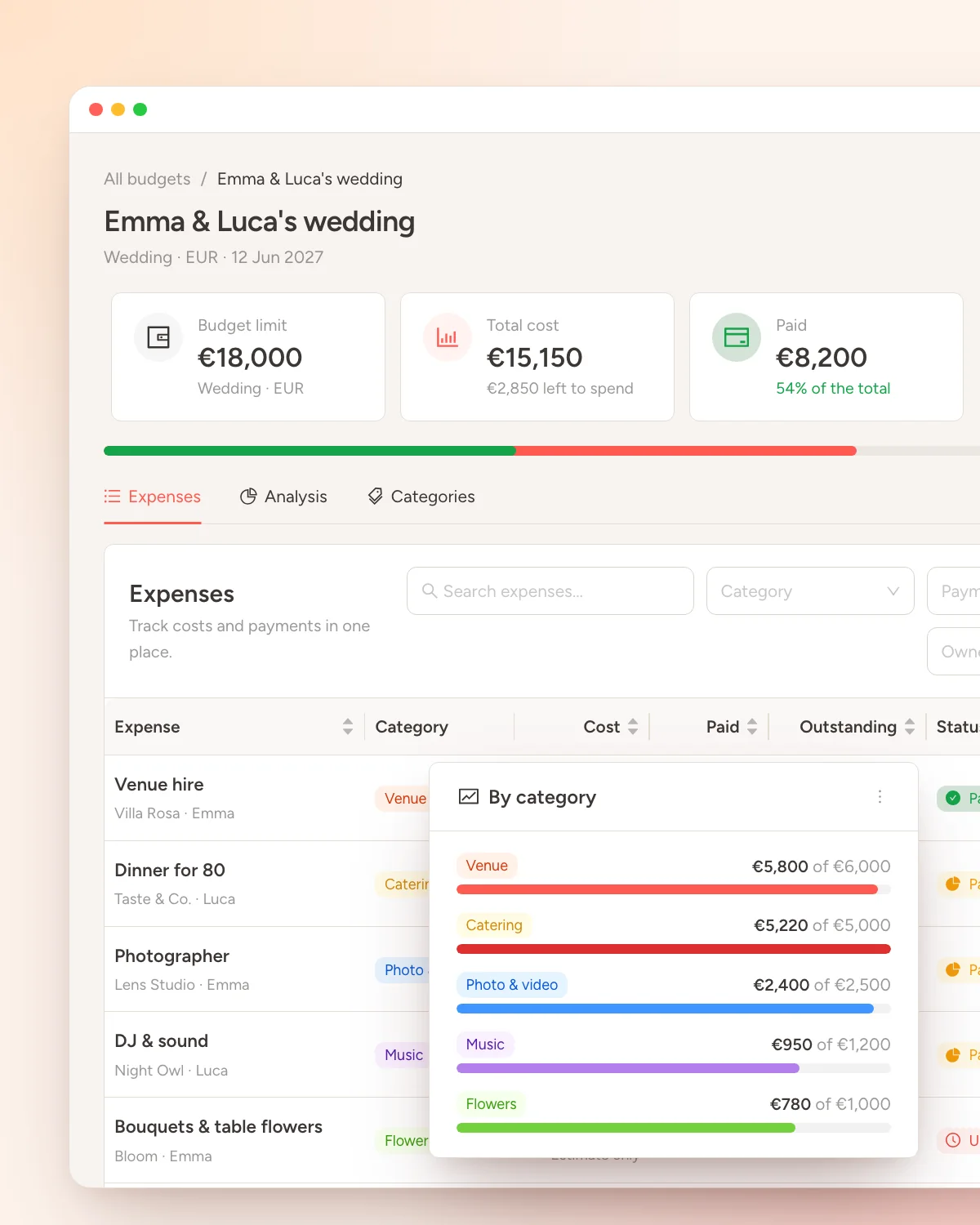
Headline tiles show limit, total cost, paid and still due. The Analysis tab breaks spend down by category against its cap, by month, by who's paying, and lists the next payments. Download everything as a CSV whenever you like.
Why it's here
Spreadsheets are fine until the third revision.
A wedding or a big party is dozens of costs that each change three times: a quote, a signed price, a deposit, a balance. A spreadsheet can hold that — until formulas break, someone edits the wrong cell, and nobody knows what's actually been paid.
The Dropola budget planner keeps the three numbers that matter on every line — estimated, actual and paid — and does the maths for you: what's committed, what's outstanding, whether a category is over its cap and whether the whole thing is over budget. Due dates surface what's overdue or coming up soon.
Budgets live on your account, not on an event, so you can keep as many as you need — up to 50, with 500 expenses each — and it's free on every plan, including Free.
What you get
Small tool, built for real planning.
One currency per budget, 24 to pick from
Pay in EUR, USD, GBP, CHF or any of two dozen currencies. Each budget keeps its own currency and shows every amount in it, so the totals always mean something.
Analysis without the formulas
Spend per category against its cap, payment progress, who's covering what, spend by month and the next payments due. Over-limit categories and overdue payments are flagged for you.
Export as CSV
Download the whole budget — every expense with its category, vendor, amounts and status — as a CSV that opens in Excel, Numbers or Google Sheets.
Common questions
Answered before you ask.
Is the budget planner free?
Yes. It's part of every Dropola account, including the Free plan. No trial, no card, no limit on how long you can keep using it.
Can I use it for a wedding budget?
Yes — choose Wedding when you create the budget and it starts with the typical categories: venue, catering, attire, flowers, photography and so on. Add or rename categories freely and cap any of them.
Can one budget mix currencies?
No. Each budget has one currency, chosen from 24 supported ones, and every amount in it is shown in that currency. If part of your event is paid abroad, keep a second budget in that currency.
How do I share the budget with a partner or accountant?
Export it as a CSV from the budget page and send that file. The budget itself is private to your account.
More free tools
The rest of the planning kit.
Free on every plan, including Free. No card, no trial clock.
