Dropola collage maker
Your favourite event photos, in one collage.
Once the photos are in, pick the best ones and turn them into a single picture to print, post or send. The collage editor works right in your browser with the photos from your event gallery, and it's free on every plan.
How it works
From gallery to collage in a few taps.
Step 1
Pick the photos
Select up to 24 photos in your gallery and press Collage, or let the editor start with your newest ones. Drag thumbnails to reorder or hit Shuffle.
Step 2
Choose a layout and size
Grid, Mosaic, Feature or Polaroids, in Square, Portrait (4:5), Story (9:16) or Landscape (3:2). Drag a photo inside its frame if a crop cuts someone off.
Step 3
Add a caption and save
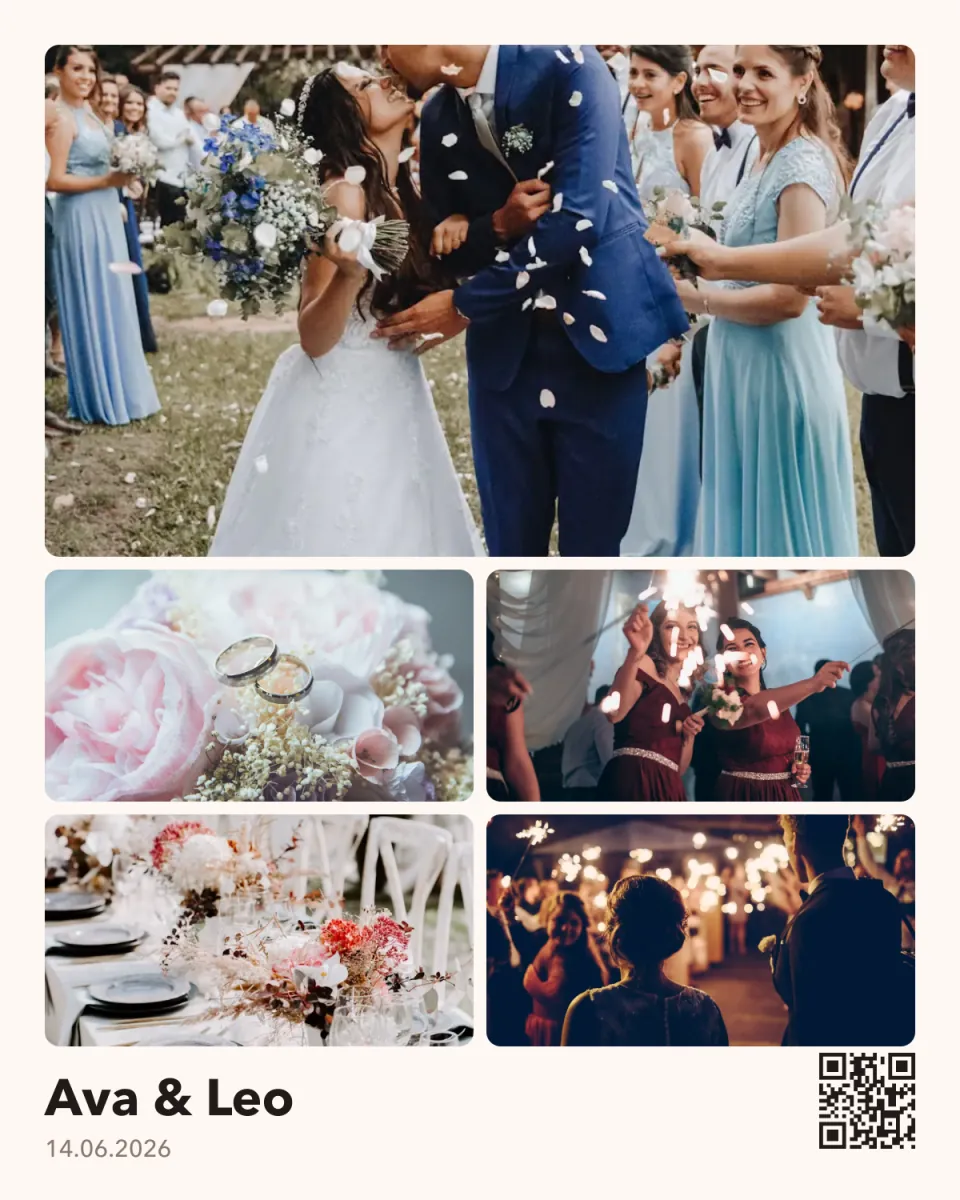
Write two lines in one of eight fonts, add a small QR code that leads back to your event, then download a JPG or PNG, or share it straight from your phone.
Why hosts choose Dropola
Hundreds of photos. One picture to share.
After an event you have more photos than anyone will scroll through. What people actually share is one good picture: the thank-you post, the card on the fridge, the story everyone screenshots.
The collage editor builds that picture from the photos already in your Dropola gallery. Choose your favourites, pick a layout, and adjust spacing, corners and background until it looks right. Undo and redo are always there.
Add a caption with the names and the date, and switch on the QR code if you'd like people to find the full gallery. It all happens in your browser, and guests only see the collage if you share it.
What you get
Made for the moment, kept for good.
Free on every plan
Make as many collages as you like, on Free, Pro or Premium.
Sized for where it's going
Story for Instagram, portrait for prints, square for posts, landscape for screens and slides.
JPG or PNG
Download a JPG for sharing or a sharper PNG for printing, or use your phone's share sheet.
Common questions
Collage maker questions
Is the collage maker free?
Yes. It's included on every plan, including Free, and you can make as many collages as you want.
How many photos can a collage have?
Up to 24. The Polaroids layout holds up to 12 so each print stays readable.
Can I use photos that aren't in my event?
The editor works with the photos in your Dropola gallery. Upload any extra shots to the event first and they'll be there for the collage.
From the blog