Halloween party photos: how to take good ones in the dark, and how to get them back
Halloween is the one party where nobody minds having their picture taken. People spend three weekends gluing horns onto a headband, and they want proof. So the photos get taken, hundreds of them. The trouble starts the next morning, when you find eleven blurry shots of a fog machine on your phone and everyone else's photos are spread across thirty camera rolls.
Halloween falls on a Saturday this year, so plenty of you are hosting this weekend. Here's what I'd do, roughly in the order you'll need it.
Your party is dark, and phone cameras hate that
Good Halloween lighting is bad photo lighting. Candles, a red bulb, a strobe in the corner. It looks great in the room and comes out as orange mush on a phone.
You don't have to kill the mood to fix it. A few things help:
- Give people one bright spot. Pick a corner, a doorway or the stairs and light it properly with a lamp or a cheap LED panel bounced off a wall. Everyone drifts there for photos without being told.
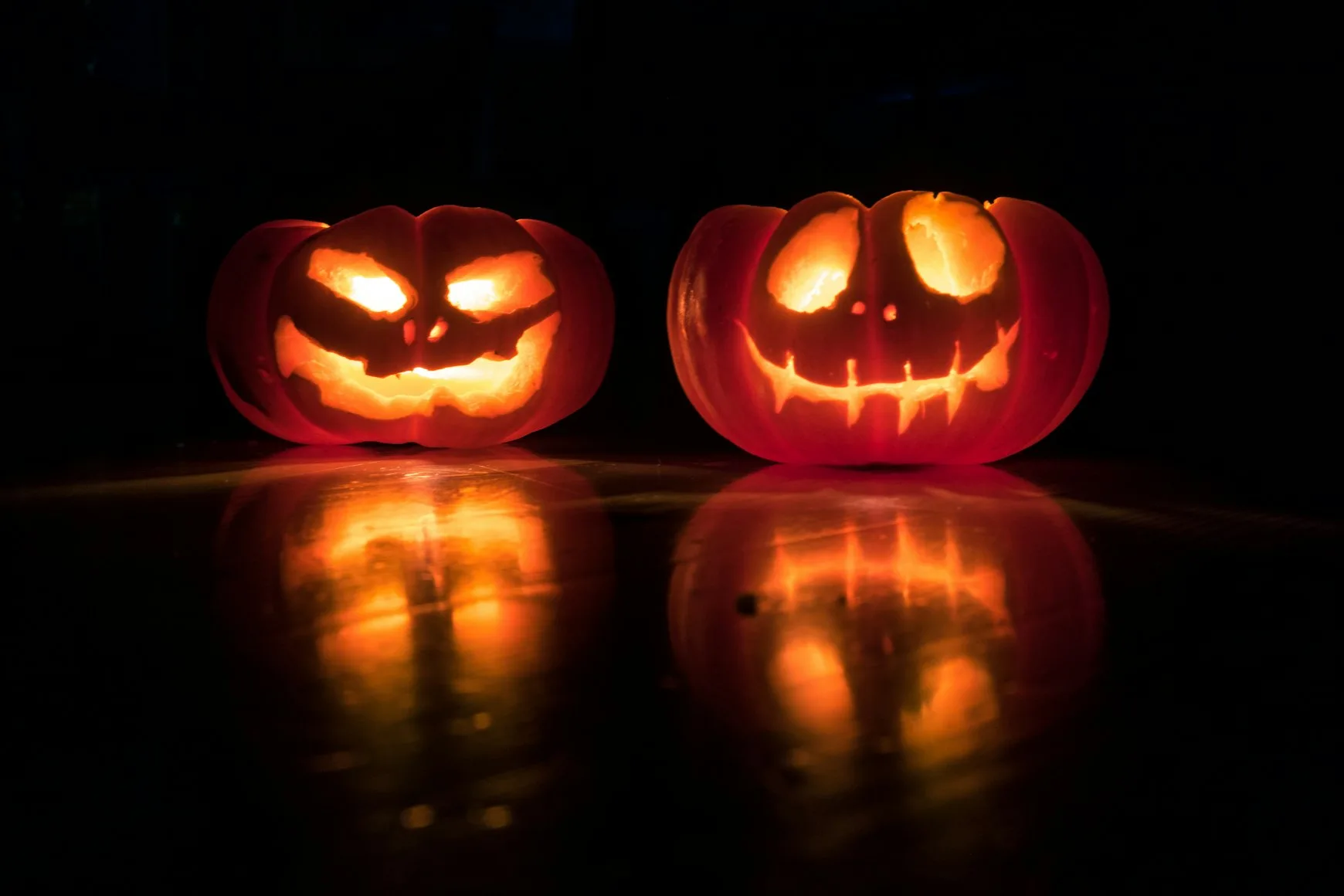
- Turn the flash off for the pumpkins. A jack-o'-lantern is a light source. Flash flattens it into a beige ball. Let night mode do the work and hold the phone still for a second or two. Leaning on a table helps.
- Turn the flash on for costumes in the dark. Opposite rule. Faces in near-darkness need it, and harsh flash suits horror makeup anyway. It looks like an old crime scene photo, which is sort of the point.
- Wipe the lens. Sticky fingers, fake blood, face paint. Half of the "my phone is useless at night" complaints come down to a smudge.
Photo ideas people actually go for
Skip anything that needs a rehearsal. These are the ones that get used at a real party, after a couple of drinks.
The arrival shot. Put something by the front door, a pumpkin or a skeleton on a chair, anything. People photograph each other as they come in, while the costume is still in one piece. By midnight the wings are gone and the makeup has slid halfway down.
A photo booth corner. A dark wall, one red light, a fog machine if you have one. Prop up a tablet and let people take their own shots. Dropola has a photo booth mode that counts down on the tablet and drops each shot straight into the party gallery. A phone on a tripod with a timer works too, you just have to collect the photos yourself afterwards.
The costume lineup. Somewhere around 10 pm, before anyone leaves, get everyone on the stairs or against a wall for one big group photo. Ask three or four people to take it from different spots. One of them will have everyone's eyes open.
Slightly dumb props. A plastic skull, a cardboard frame, a sign that says "I survived". People act like they're above this and then pose with all of it.
The candid ones. The witch and the zombie in the kitchen arguing about parking. Those are the photos people send each other five years later, so tell your guests to take them.
Getting the photos back is the hard part
Every Halloween party has the same Sunday. Someone writes "send me your pics!" in the group chat, six people send a handful each, compressed, and the rest stay on phones forever. The best photo of your costume is on the phone of somebody's plus-one whose name you never caught.
What fixes it is giving guests one place to put photos during the party, not after it.
With Dropola you create the event, print the QR code and stick it somewhere obvious. On a pumpkin by the door is good. So is the bathroom mirror, since people go in there to check their makeup anyway. Guests scan it with their phone camera and upload from the browser. There's no app and no account, which matters when someone has fake blood on their hands and is not about to invent a password. Photos and videos keep their original quality.
Three things I'd switch on:
- The slideshow on the TV. Put the gallery on a screen in the living room. Once people see their own photos come up, they upload more. You never have to remind anyone.
- The guestbook. Guests can leave a message while they upload. At a Halloween party that means bad ghost puns and threats about next year's costume. Keep all of them.
- A password, if the party gets wild. The gallery is private already, but if the link is going into a big group chat, add one. Some of these photos don't need to travel.
The Halloween party page walks through the full setup if you want the details.
The day after
Send one message the next afternoon, something like "gallery's still open, dump whatever's on your phone". People wake up, scroll through their camera roll and find forty photos they forgot they took. That one message usually brings in more than the whole night did.
Then download everything as a ZIP while you still remember who was under which mask. If you want to post something, pick the best costumes and put them in a collage. One picture of six costumes beats six separate posts, and it's the one that ends up on someone's fridge.
Running a costume contest? Vote on the photos the next day instead of in a loud room at 1 am, when nobody can agree on anything.
A few quick answers
Does it work if guests have different phones?
Yes. It runs in the phone's browser, so iPhone or Android makes no difference.
Can I set it up on the day?
It takes a couple of minutes, so yes. Printing the QR code is the slowest part. No printer? Show the code on a tablet by the door.
What about a kids' Halloween party?
Same setup. Turn on moderation so you approve uploads before they show up in the gallery. That's worth doing when half the photographers are eight years old and borrowing their parents' phones.
Happy Halloween. Wipe your lens.